One missed call,start to finish.
Sunday, 10:47 AM. Jason's kitchen sink won't drain, so he calls Smith Plumbing and Drain. Follow his call to every screen.
A real call: one of our team phoned our demo shop as Jason. Everyone else on screen is sample data.
Your line rings, like it always has.
When nobody picks up, the call forwards to Kate.
- Your number stays yours
- Forwards the calls nobody picks up
- Tested with a real call before you rely on it
Kate picks up in the shop's name.
Press play to hear it. Kate fills in his details as she goes.
- She asks what's wrongJust the kitchen sink, or other drains too?
- She checks the real scheduleThen offers the soonest open times.
- She reads it all backTime, name and address, before anything is booked.
Hi, thanks for calling Smith Plumbing and Drain, this is Kate. This call may be recorded. How can I help you today?
Each detail lights up as Kate gets it.
Long pauses are shortened. The other tabs are three more real calls.
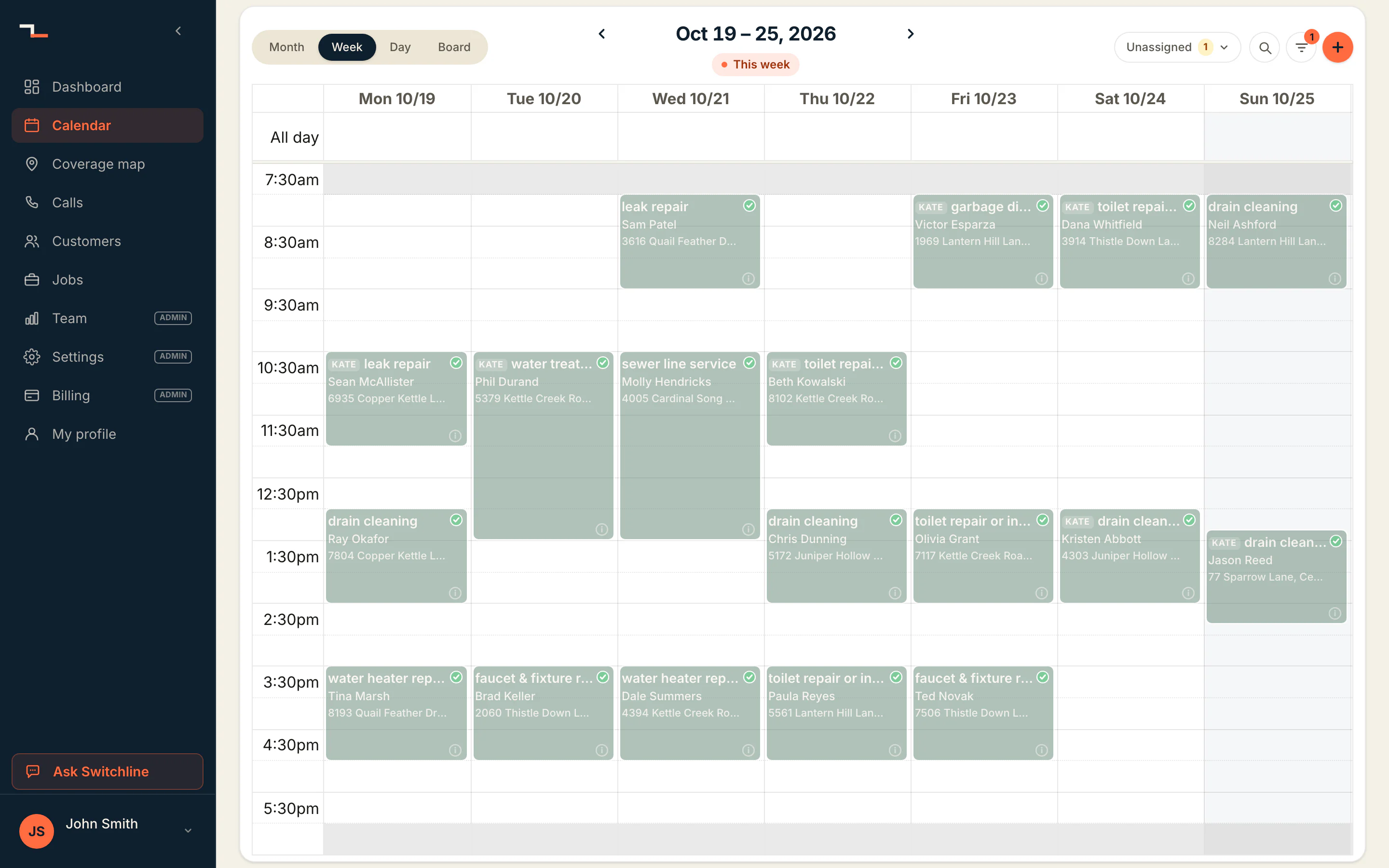
It's on the calendar before he hangs up.
1 to 2:30 PM on Jimmy, half a minute before the call ended.
- Jason's visit
The arrival window he picked.
- Tagged KATE
Her bookings, told apart from the office's.
- Room between jobs
The drive time you set, left between jobs.
- Jimmy's week
Only techs who cover the address and do the work.
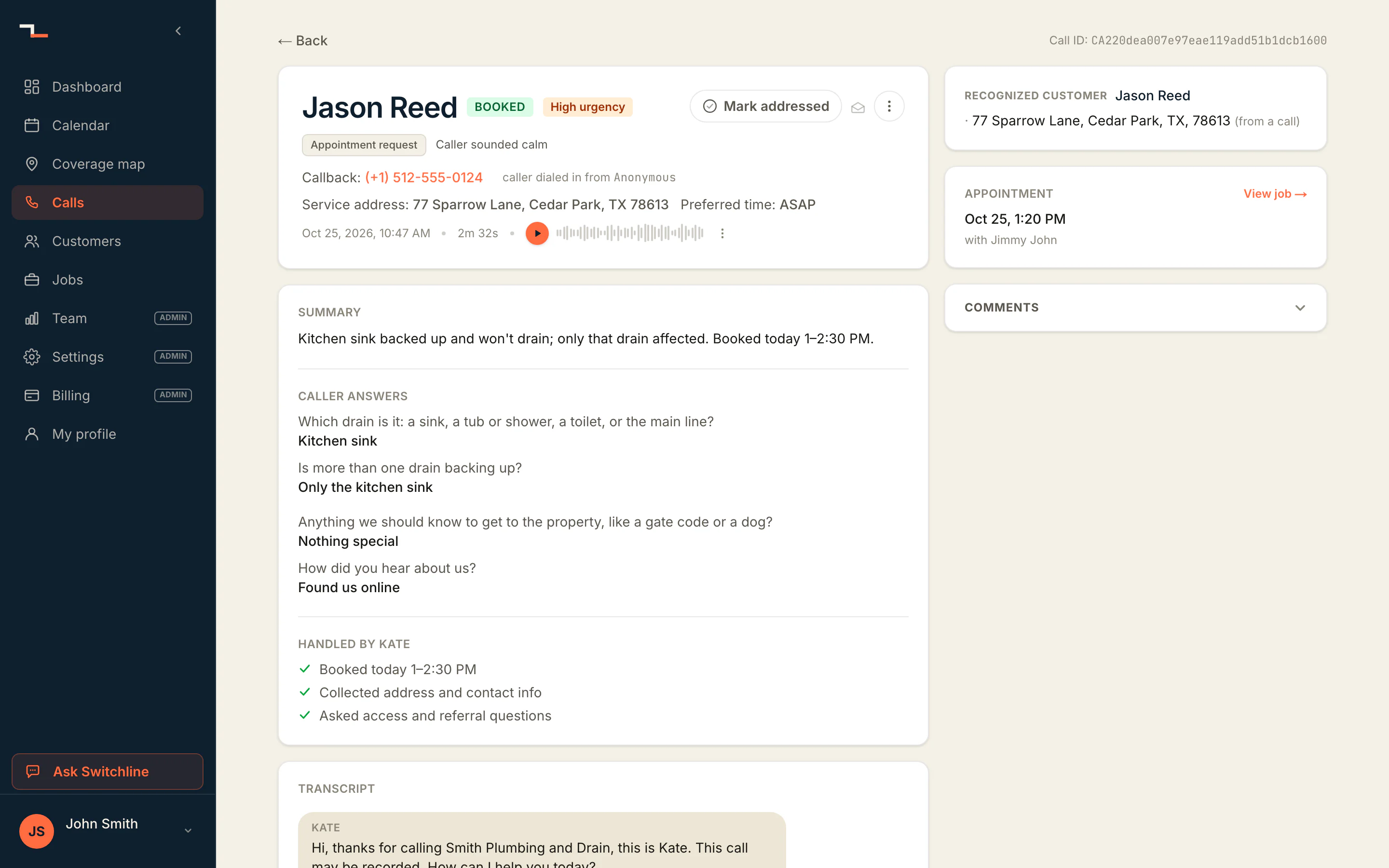
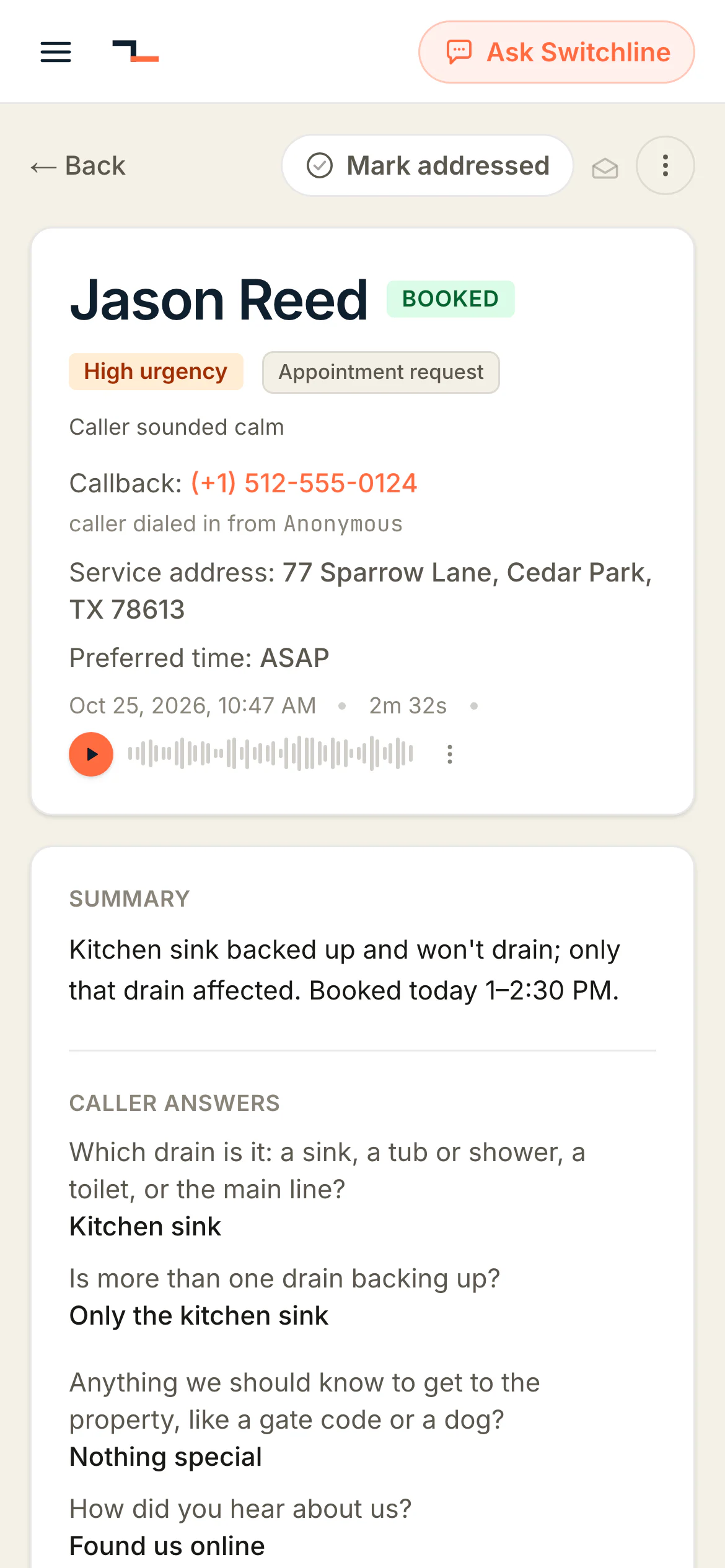
The whole call, when you want it.
Ready seven seconds after the call. Each person picks what reaches their inbox or phone.
- How it ended
Booked, at a glance.
- The summary
What's wrong and what Kate did.
- The recording
The whole call.
- The transcript
Every word.
- The visit it booked
One click to the job.
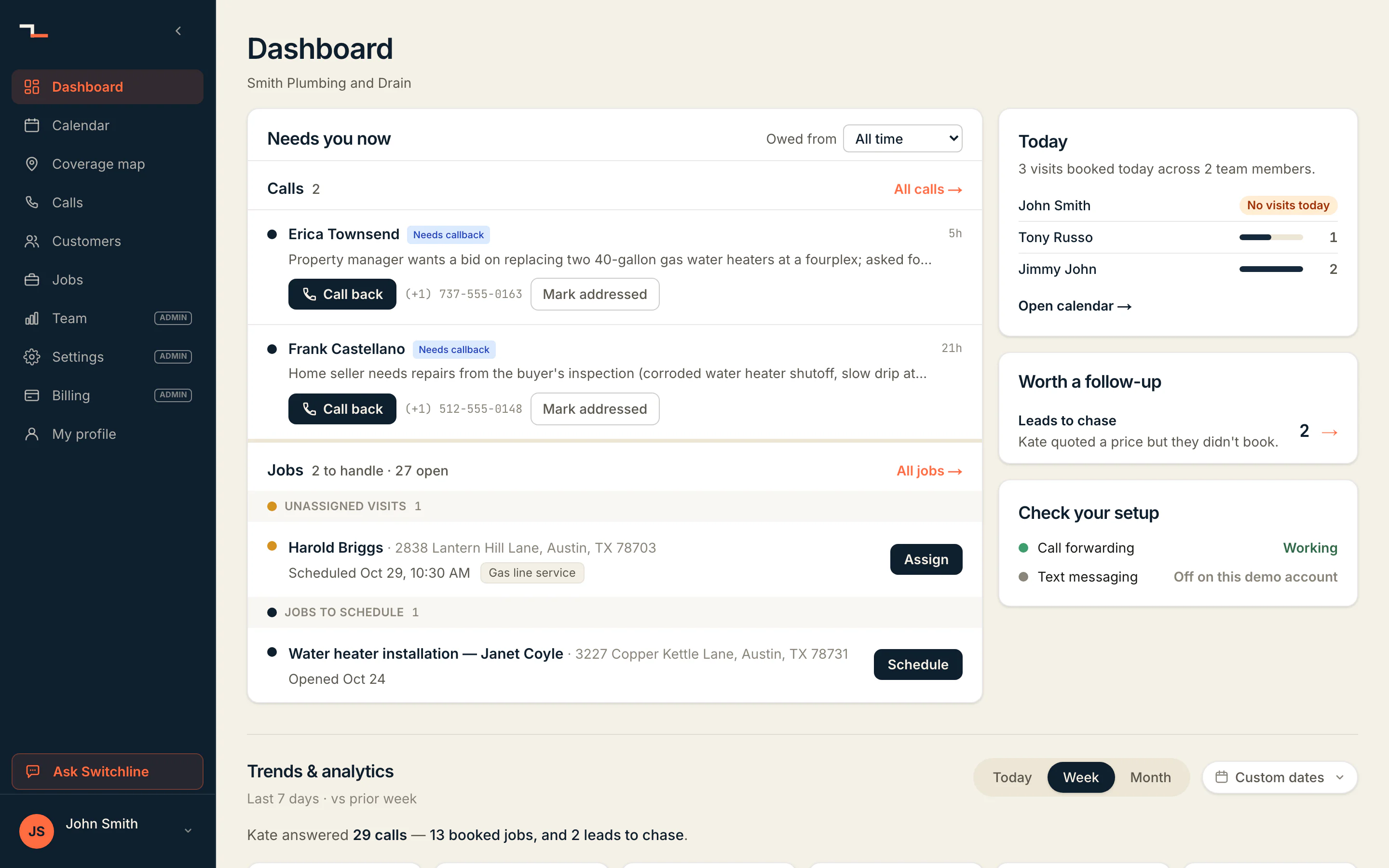
The board shows only what needs you.
Only calls that need a person land here, with the button on the row.
Jason's call isn't here. It's booked, with nothing left to do.
- Calls owed
Call back, right on the row.
- Jobs that need you
Assign and Schedule, on the row.
- Today
Visits per tech.
- How the week went
Calls and bookings, against last week.
A customer now, not a missed call.
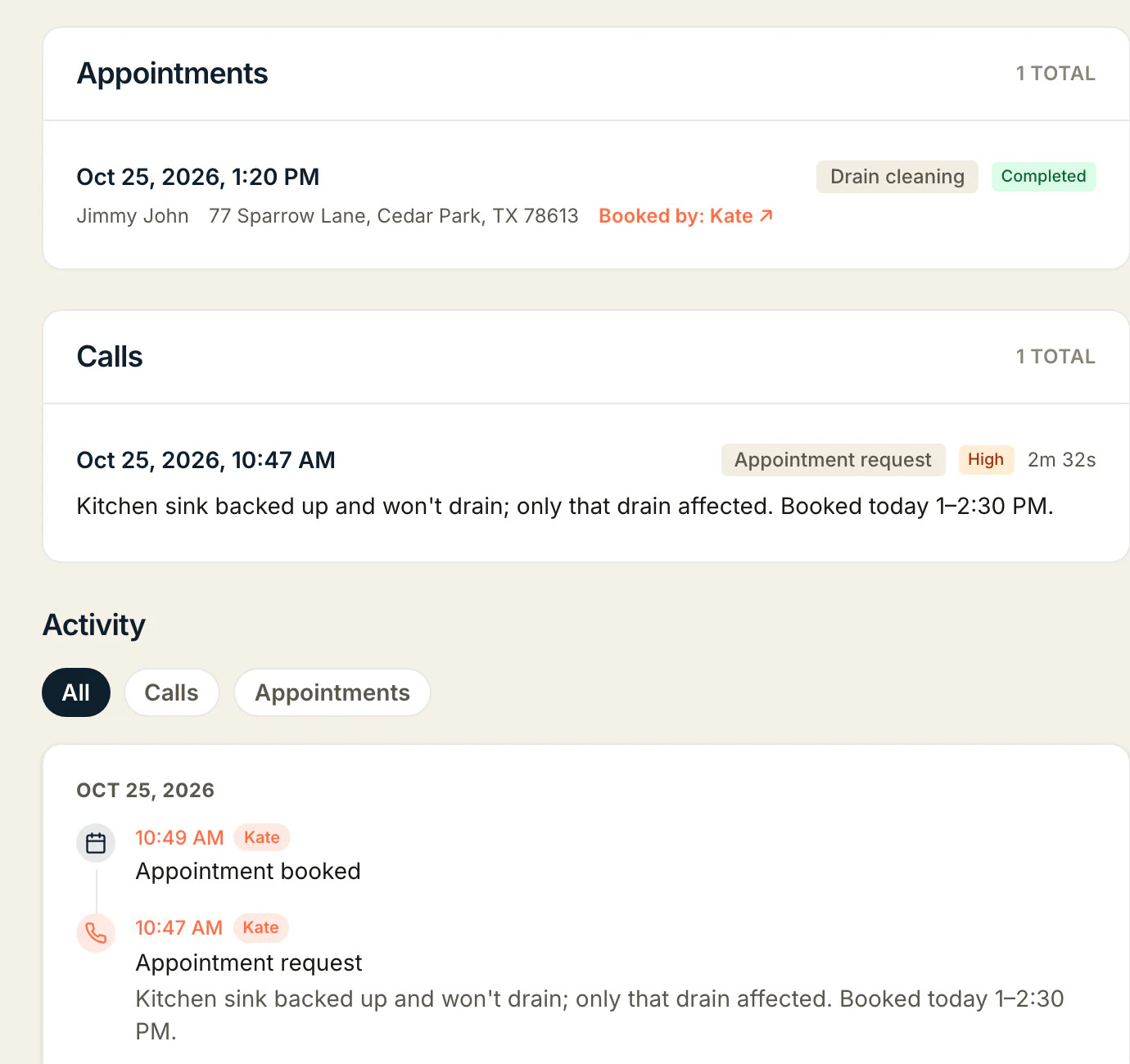
His visit, his call and everything that happened, on one page.
- His visit
Booked by Kate.
- His call
With its summary.
- Everything that happened
Call 10:47 AM, booking 10:49 AM.
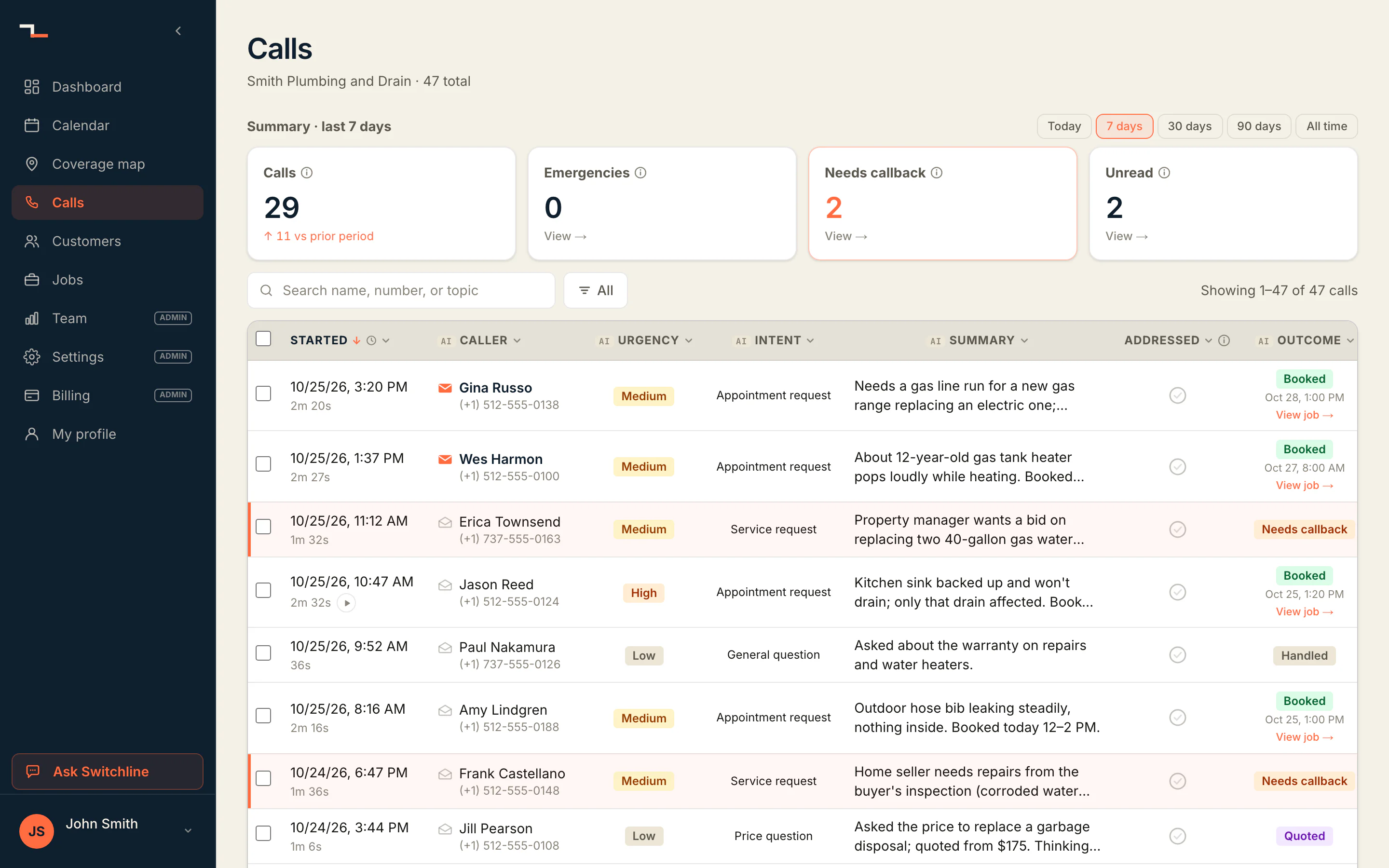
Not every call is a booking.
Each call gets an outcome you can read at a glance. Hear three more in step 2.
- Booked
A time on the calendar.
- Handled
Kate answered it herself.
- Needs callback
Only a person can sort it out.
- Quoted
Answered with the shop's price.
You set it up once. She works from it every call.
Everything Kate did on Jason's call came from these settings.
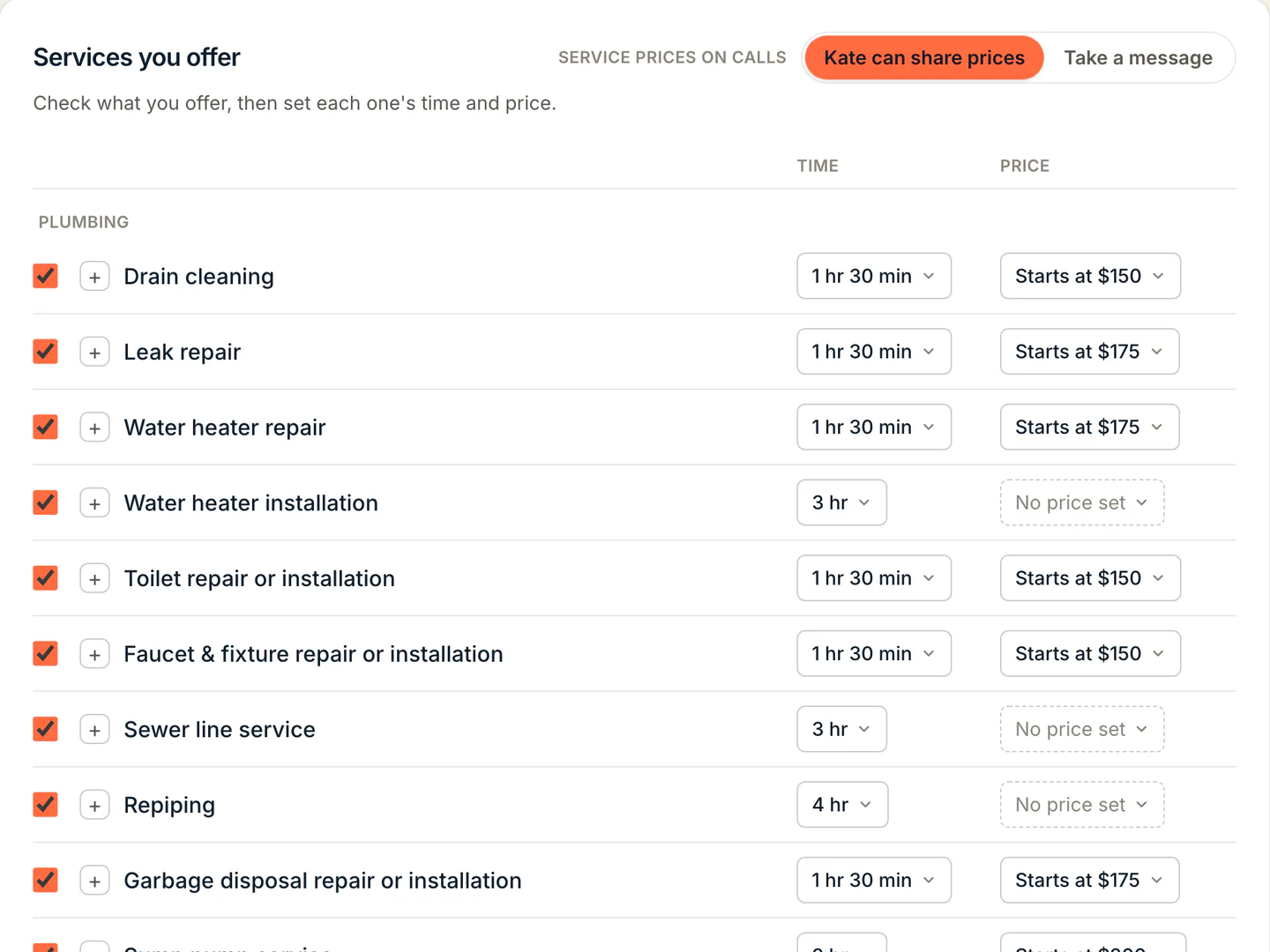
Your services and your prices.
What you do, how long it takes, what it costs.
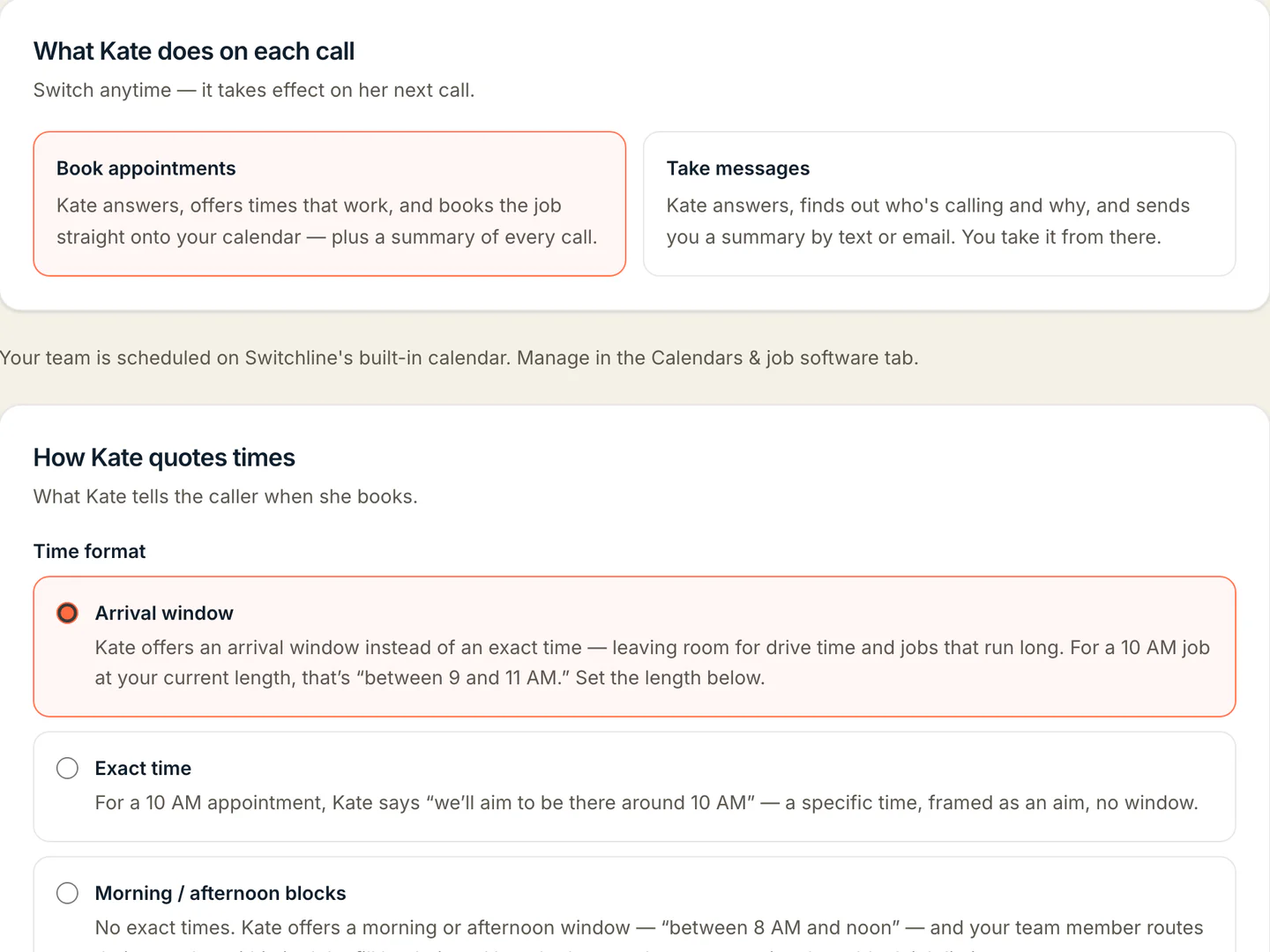
Book the job, or take a message.
This shop gives arrival windows: “between one and two-thirty.”
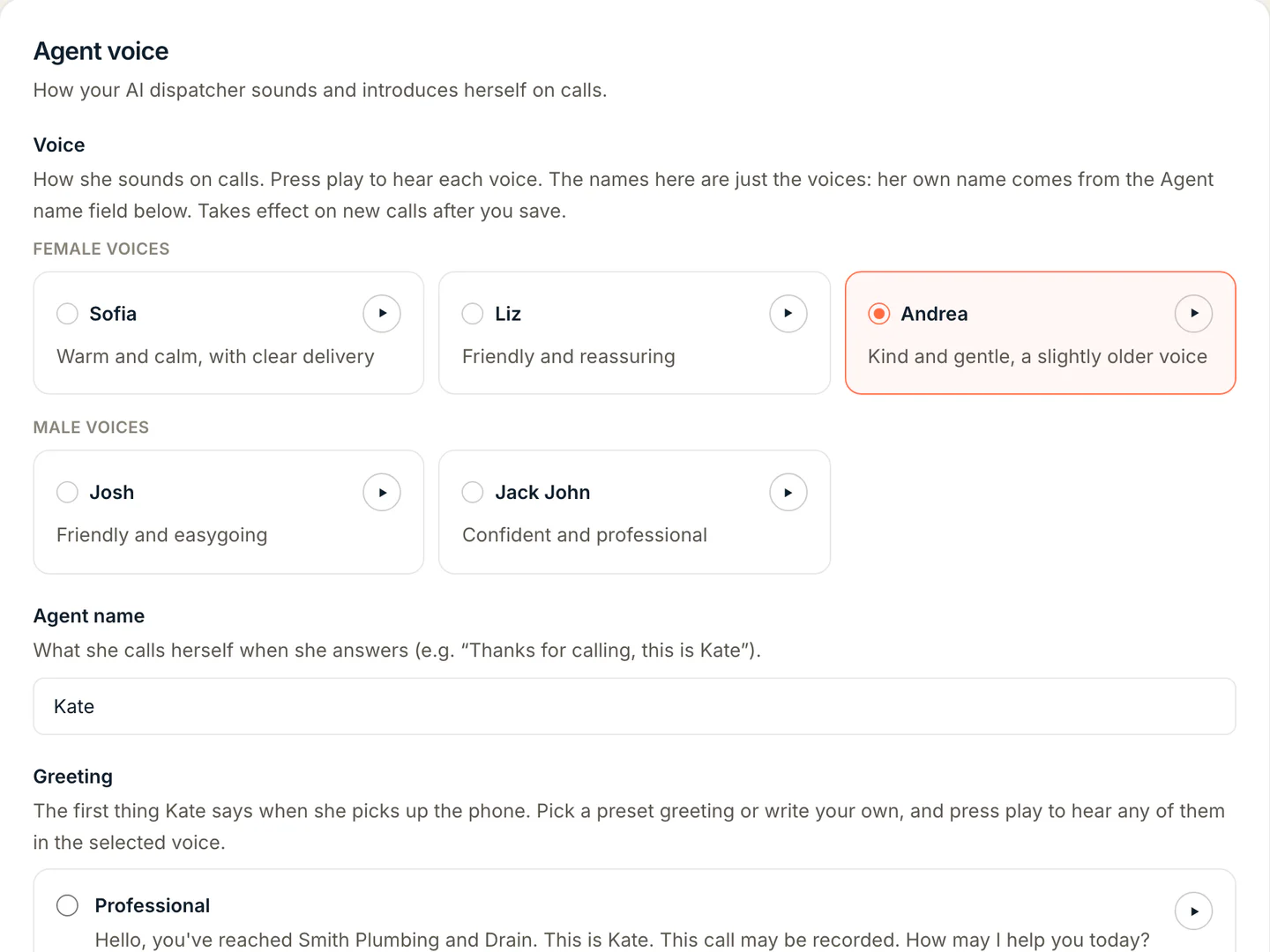
Pick how she sounds.
Hear each voice first, and give her any name.
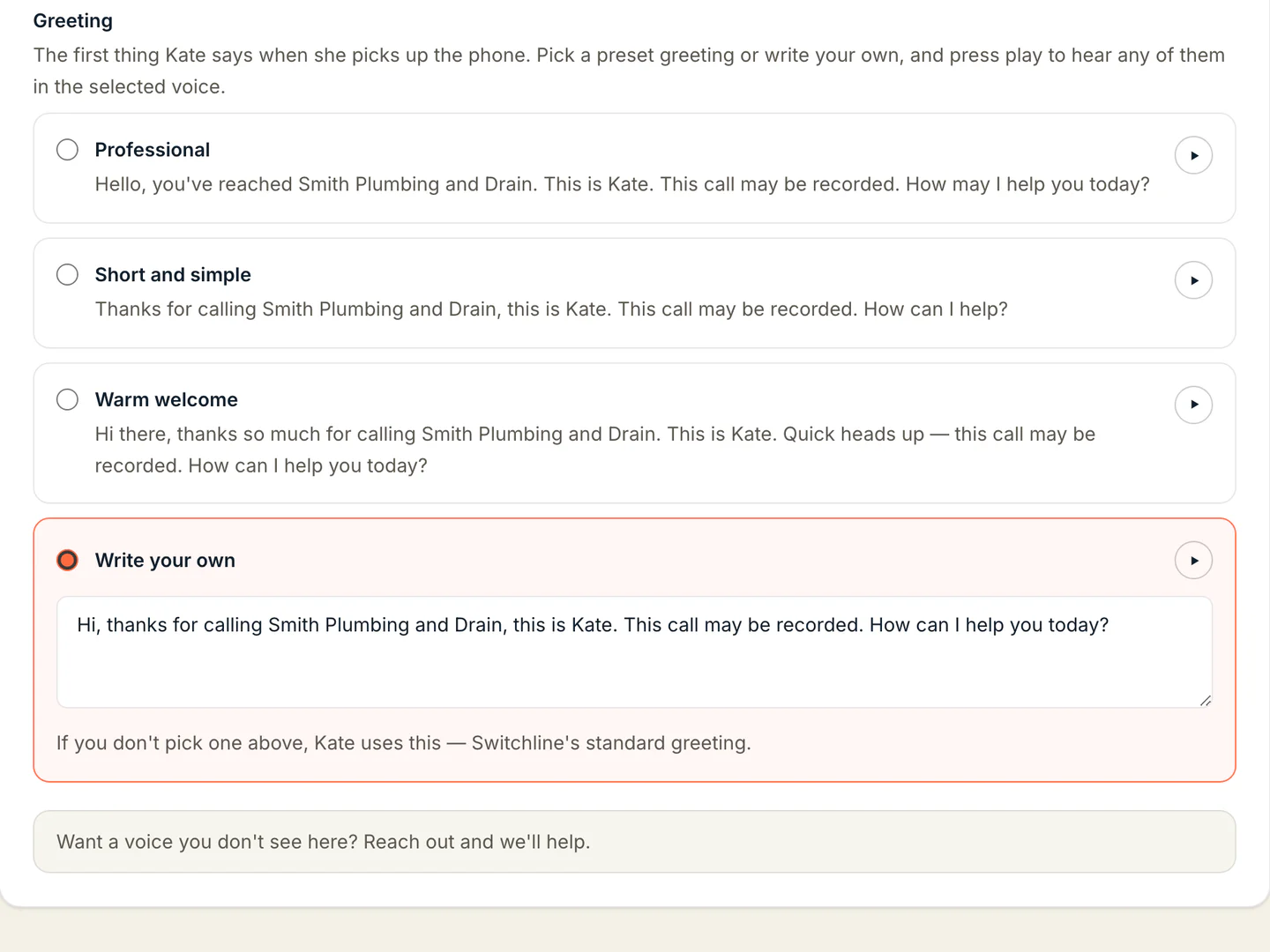
Answered in your shop's name.
Pick a greeting or write your own.
Set it up yourself, step by step, or request a call and we'll walk you through it.
Now call heryourself.
Tell her your sink won't drain. Then try her on your line, free for 14 days.
Rather talk it through? Request a call